
Wix Order Printing Without the Busywork: Meet ZIDER PrintOps
Turn Wix Stores orders into consistent, print-ready documents with branded templates, custom fields, previews, PDFs, and batch printing.
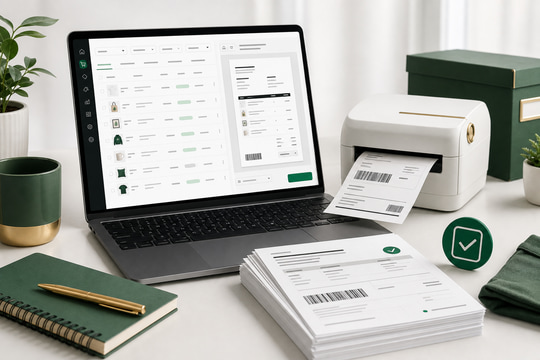
For a Wix Stores merchant, a new order is only the beginning of the fulfillment process.
Someone still needs to check the customer details, confirm product options, review the SKU, read the buyer note, prepare the right document, and get it ready for the warehouse, production team, or customer. When orders are handled one by one, those small steps quickly become repetitive—and easy to get wrong.
That is why we built ZIDER PrintOps: a Wix-first order printing workspace that turns Wix orders into consistent, print-ready documents.
A clearer workflow for Wix Stores
ZIDER PrintOps brings order syncing, document templates, print previews, and batch processing into one focused workspace.
Instead of moving between order pages, spreadsheets, and manual document layouts, you can sync recent orders from Wix, choose the information you need, preview the result, and export or print from the same workflow.
The goal is simple: make order printing easier to repeat every day.
Sync recent Wix orders into one workspace
PrintOps helps bring recent Wix Stores orders into a format that is easier to review and prepare for printing.
Depending on the order, that information can include:
- Order number and order date
- Customer and contact details
- Products, variants, SKUs, and quantities
- Product images
- Shipping and billing addresses
- Payment and fulfillment status
- Buyer notes and gift messages
- Wix custom fields and checkout extra fields
This means you can work from a single order-printing view instead of repeatedly copying information from the Wix dashboard.
Create documents that match your brand
Your order documents are part of your customer and fulfillment experience. They should be clear, useful, and consistent with your store—not look like an afterthought.
With PrintOps, you can customize your document templates with settings such as:
- Logo and store details
- Brand colors
- Field labels and display order
- Product images
- Pricing and payment details
- Shipping and billing information
- Buyer notes and custom content
- Footer text and contact information
Set up a template once, then reuse it across future orders. This reduces manual formatting and gives your team a consistent document to work from.
Keep custom order information visible
Many Wix stores sell products that need more than a product name and quantity. A personalized item may include a customer message, size, color, design instruction, event date, or production note.
Those details are easy to miss when they stay inside an order field that nobody prints.
PrintOps is designed to help merchants bring Wix custom fields and checkout information into the document workflow. You can choose which fields to show, adjust their labels and order, and hide empty values where appropriate.
That gives customer service, warehouse, and production teams the information they need without opening every order again.
Preview before you print
Printing the wrong document is frustrating—and expensive when it happens repeatedly.
PrintOps lets you preview an order document before exporting it as a PDF or using browser print. You can check the content and layout first, including:
- Missing or incomplete fields
- Product and variant details
- Custom order information
- Address formatting
- Image loading
- Text overflow
- Totals and order status
Once the document looks right, you can move it forward with confidence.
Process multiple orders together
When your store receives several orders a day, printing them one at a time creates unnecessary repetition.
With batch processing, you can select multiple orders, create a combined PDF, or send the group through the browser printing flow. You can also mark orders as printed, making it easier to avoid duplicate work and spot orders that still need attention.
Batch printing is useful for daily fulfillment, packing, production runs, order reviews, and document archiving.
A simple path from order to document
The PrintOps workflow is designed to stay straightforward:
- Install ZIDER PrintOps from the Wix App Market.
- Sync recent orders from your Wix store.
- Choose or customize a print-ready template.
- Select an order and review the preview.
- Export a PDF, use browser print, or process a batch.
Once your template is ready, the same process can be reused whenever new orders arrive.
Built for growing Wix Stores teams
ZIDER PrintOps is a good fit for merchants who want a more consistent way to handle printed order documents, especially:
- Stores processing orders every day
- Merchants selling personalized or made-to-order products
- Teams that need to print buyer notes or custom fields
- Warehouses and production teams that rely on clear order information
- Stores that want branded PDFs and repeatable document layouts
- International merchants preparing documents for different languages
PrintOps starts with the core order-printing workflow and is designed to grow into more fulfillment document scenarios over time.
Make order printing part of your operations—not a separate chore
Order printing may look like a small step, but it connects your storefront with customer service, production, packing, and shipping.
A clear and complete document helps your team understand each order faster, reduces manual checking, and makes the fulfillment process easier to repeat.
ZIDER PrintOps gives Wix Stores merchants a simpler way to move from synced order data to a document that is ready to use.
Explore ZIDER PrintOps on the Wix App Market
Note: ZIDER PrintOps is an order document and printing tool. It does not replace a legally compliant tax invoice or e-invoicing system required by local authorities.