
01
Sync Wix orders
Bring recent orders into one focused workspace and keep your printing workflow connected to your store.
ZIDER Solutions · Wix Stores
Order printing, built for Wix Stores. Sync orders, customize branded invoice templates, preview print-ready documents, and process orders in batches from one focused workspace.
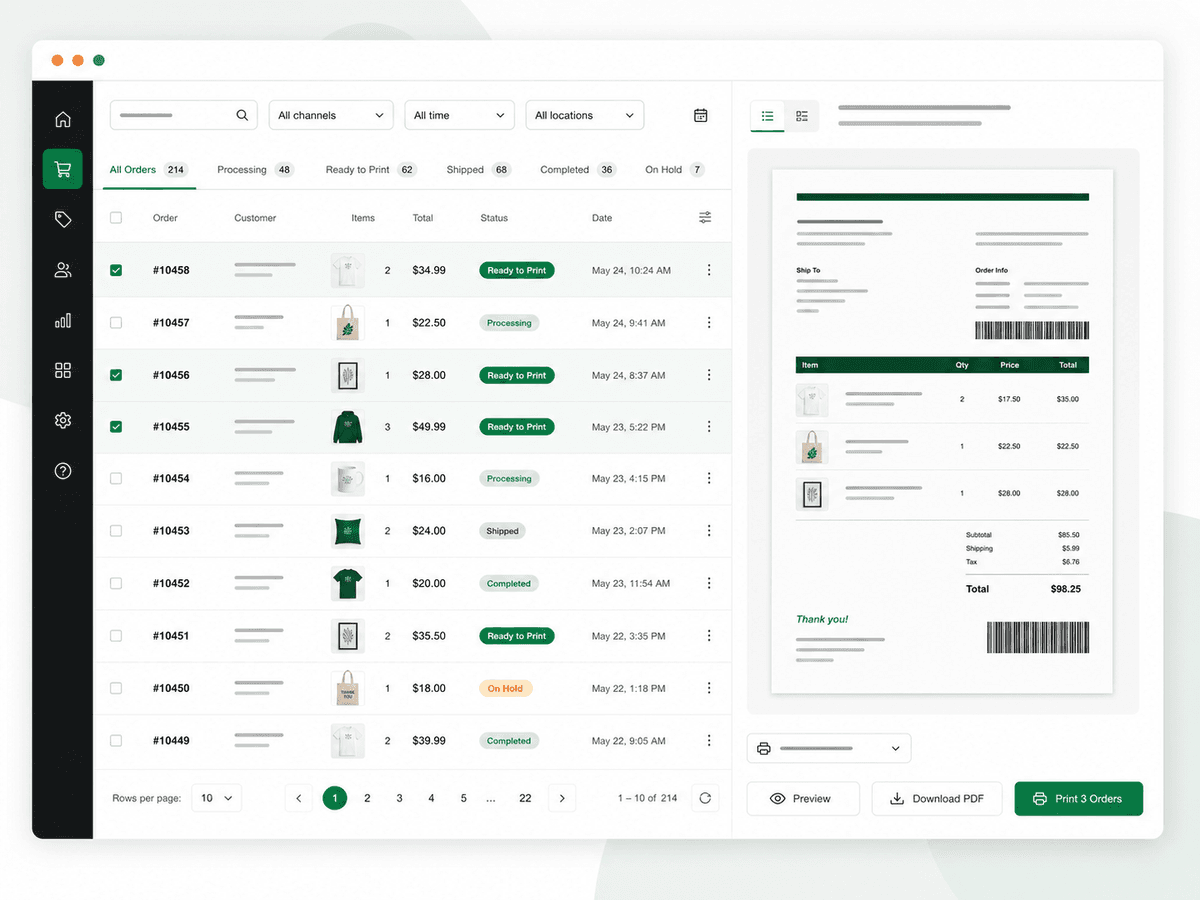
Keep your order documents consistent, on-brand, and ready for your daily fulfillment workflow. PrintOps turns the steps between a new order and a finished document into one repeatable flow.
A calmer order workflow
Designed for growing Wix stores that need less manual formatting and more consistency across every order.
Bring recent orders into one focused workspace and keep your printing workflow connected to your store.
Add your logo, store details, colors, labels, and print preferences without rebuilding every document manually.
Review document content and layout before exporting PDFs or using browser print.
Select multiple orders, create batch PDFs, and mark orders as printed with less repetitive work.
Support multiple print languages, localized labels, and Arabic RTL layouts as your store grows.
See PrintOps in action
Use the product screens to understand the full flow before you install: set the document up, process the order, and keep every detail ready for print.
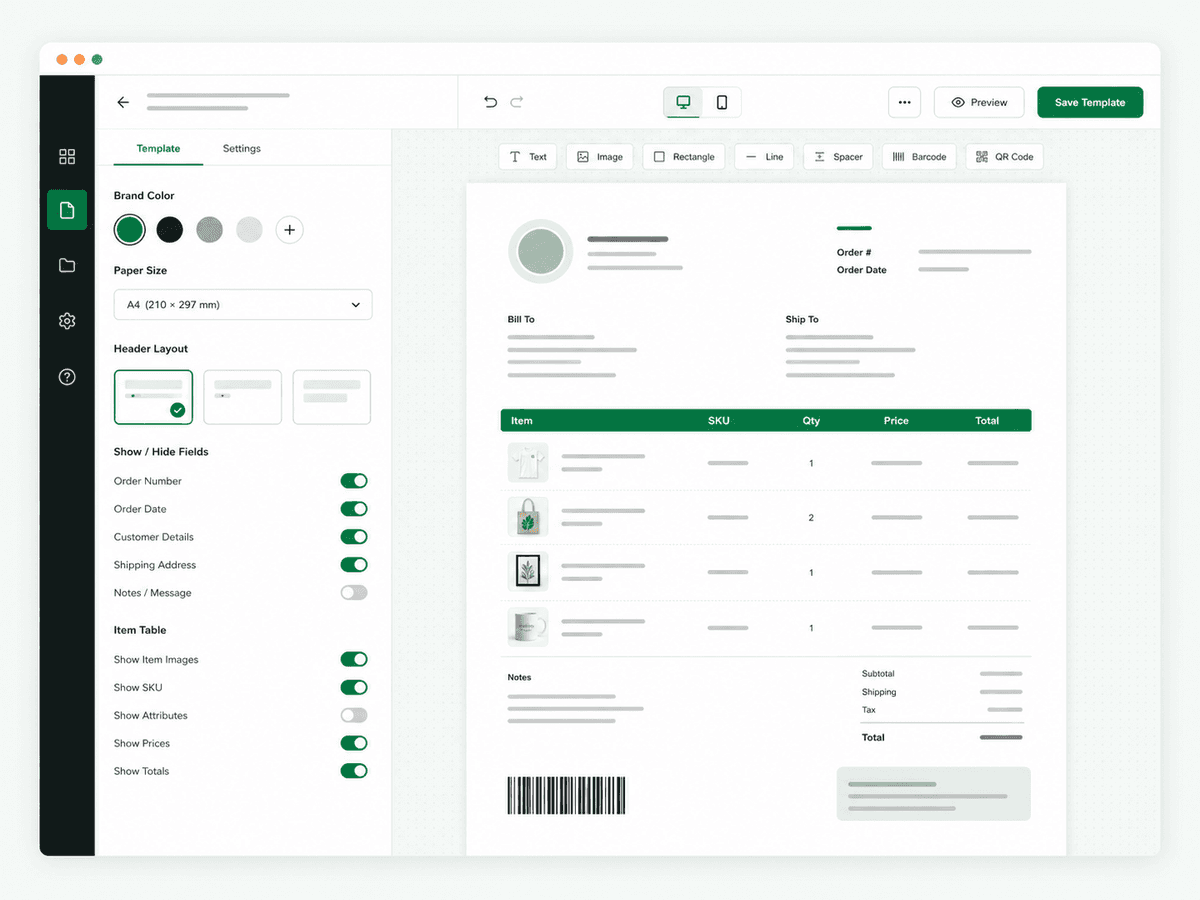
Set your brand color, paper size, fields, images, and layout in one focused editor.
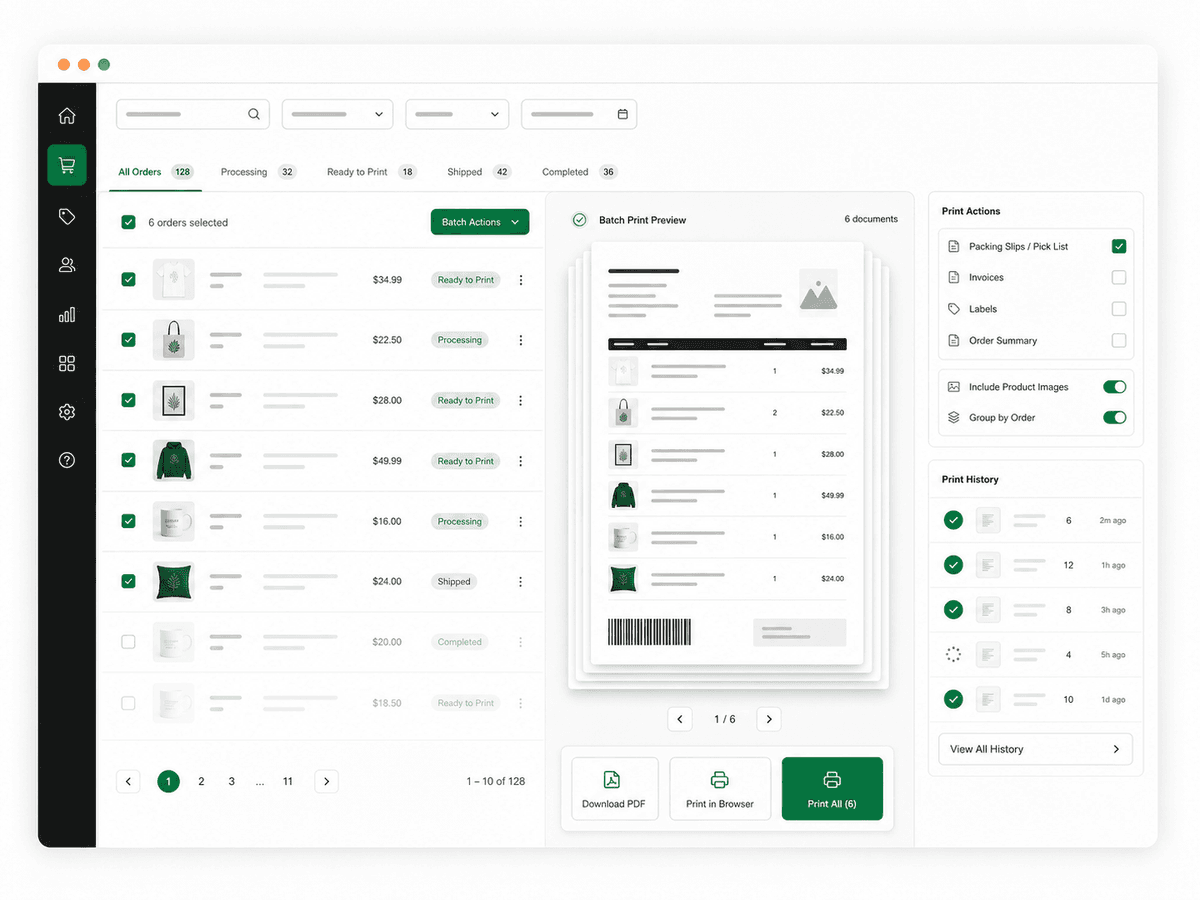
Select the orders you need, review the batch, then download a PDF or print in one action.
From store to print
Start from your Wix store, shape the document once, then use the same clear process every time an order is ready to move.
Start with PrintOpsConnect PrintOps to your Wix store through the Wix App Market.
Bring recent order data into the PrintOps workspace.
Set your branding, fields, labels, and document layout.
Export PDFs, use browser print, and process multiple orders together.
ZIDER PrintOps
Start with a cleaner, more consistent order-printing workflow for your store.