
01
Bring in a finished draft
Upload one DOCX or Markdown file at a time, up to 30 MB. Start with the document you already wrote.
ZIDER APP · WIX BLOG
Bring a DOCX or Markdown draft into Wix Blog. Review the title, summary, and URL, then save a draft or publish when you’re ready.
Article structure carried over from your document.
A simpler way to publish
If your team drafts in Word or Markdown, Doc2Blog helps you bring that work into Wix Blog with less copy-and-paste and less reformatting.
Made for a clear handoff
Doc2Blog carries your document into Wix Blog, then leaves the final review and publishing choice with you.
Upload one DOCX or Markdown file at a time, up to 30 MB. Start with the document you already wrote.
Carry over semantic headings, paragraphs, lists, tables, and supported inline text formatting.
Check the detected title and summary, adjust the suggested URL slug, and choose how the post starts.
Three simple steps
Stay in control of what gets created and when it goes live.
Upload a DOCX or Markdown file from your computer.
Review the title, summary, and suggested URL slug before creating the post.
Keep the new post as a draft by default, or choose to publish it right away.
Real screens from Doc2Blog
Choose a document, review what Doc2Blog detected, and create the post in your connected Wix Blog.
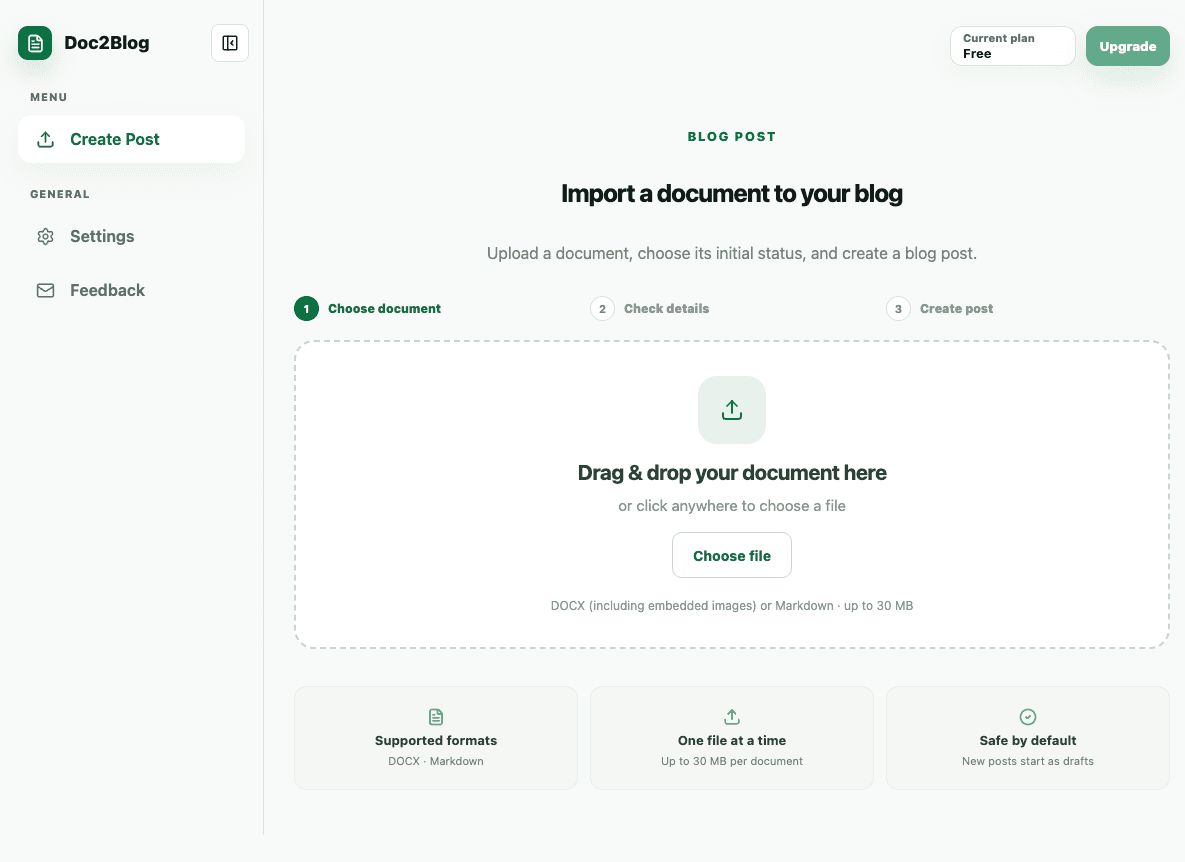
Upload a DOCX or Markdown file to begin.
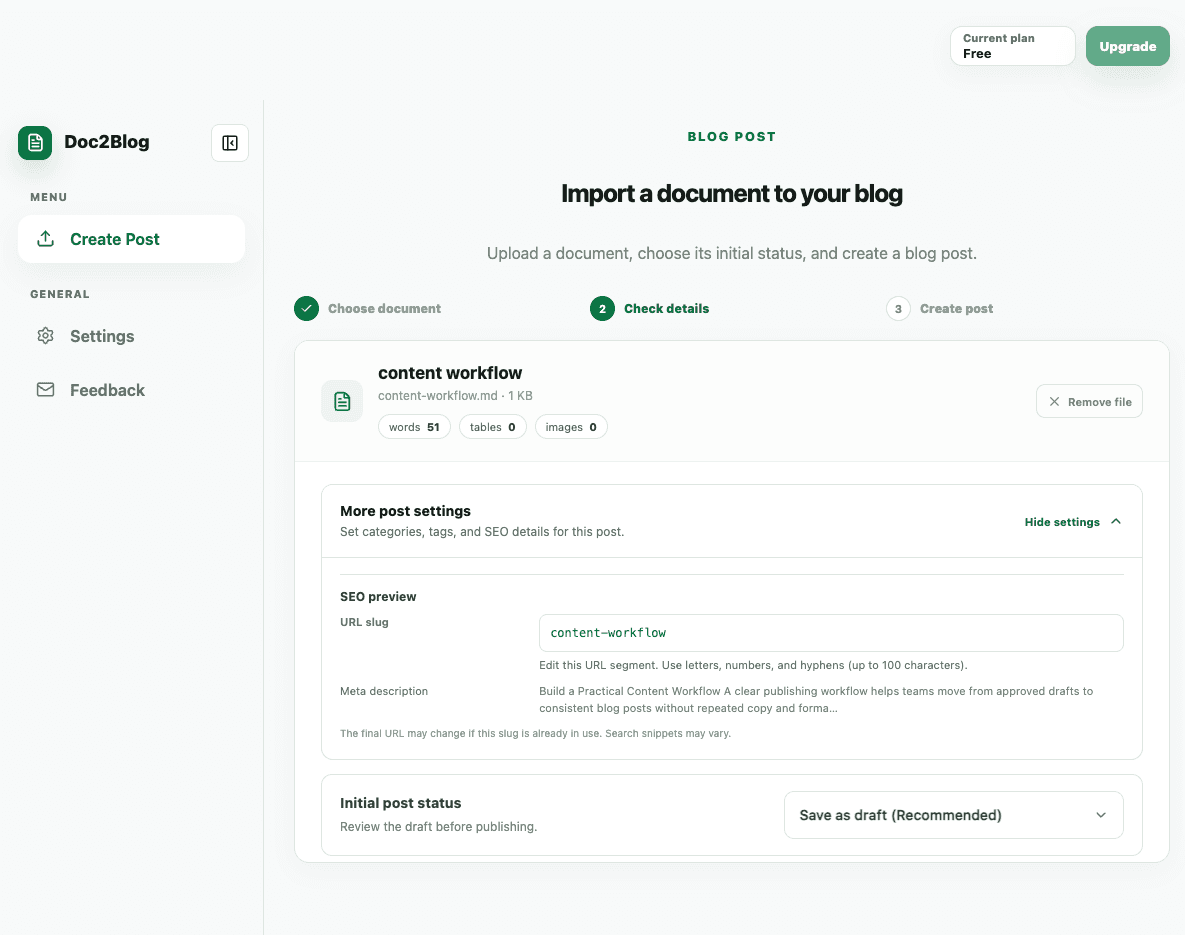
Review the title, summary, and URL slug before creating.
Plans for different publishing rhythms
Choose the monthly post limit that fits your content calendar. Wix shows current prices and billing terms when you choose a plan.
Plan names, limits, and prices are subject to the current Wix App Market listing.
Good to know
Doc2Blog supports DOCX and Markdown files, one file at a time, up to 30 MB.
Doc2Blog carries over the article structure and supported inline formatting. Word page layout and exact font styling are not reproduced.
Yes. New posts start as drafts by default, and you can choose to publish immediately when creating one.
Yes. Open the post in Wix Blog to review and edit it after creation.
No. Doc2Blog imports your document; it does not rewrite the article with AI.
ZIDER Doc2Blog · Wix Blog
Bring it into Wix Blog, review the details, and choose when it goes live.